Building off of my previous post I finally got my travel Dream Router set up as a WireGuard client to my OPNsense server.
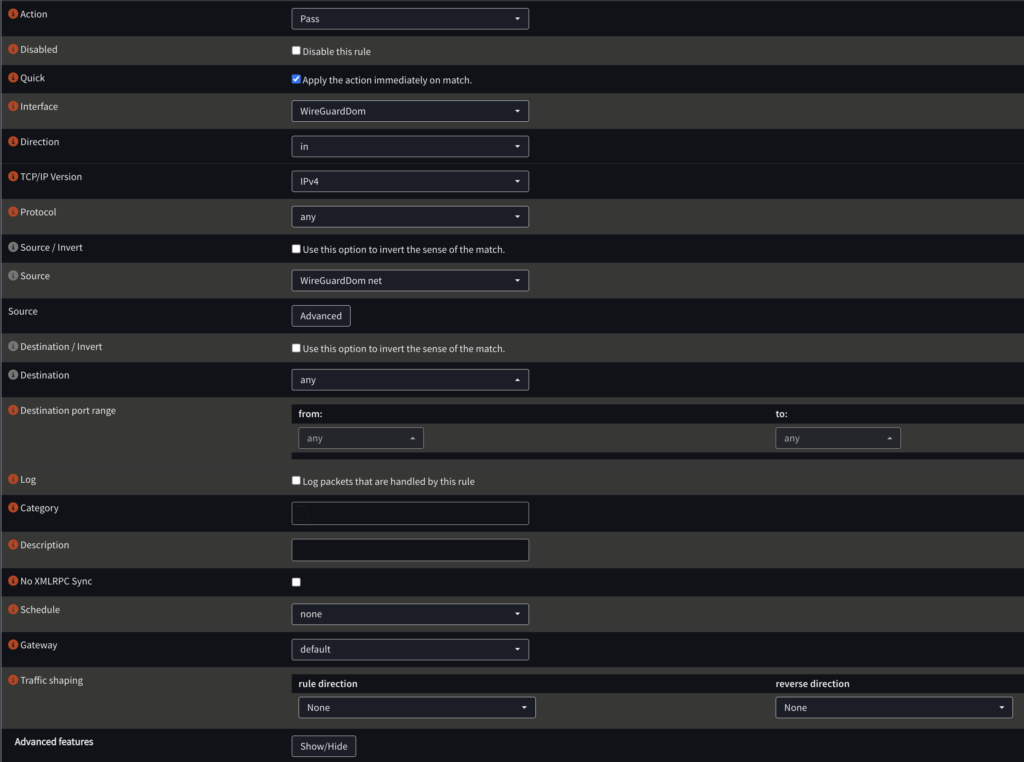
I’m not sure why, but the official docs didn’t work for me, but I followed Dustin’s great post to get the WireGuard server set up on OPNsense. I set up the server to route all traffic over the tunnel by default instead of his instructions in the “Add Firewall Rules to Access Internal Network(s)/Internet” section like this:
I used another rule with an alias for those aforementioned Xfinity IPs. Like this:
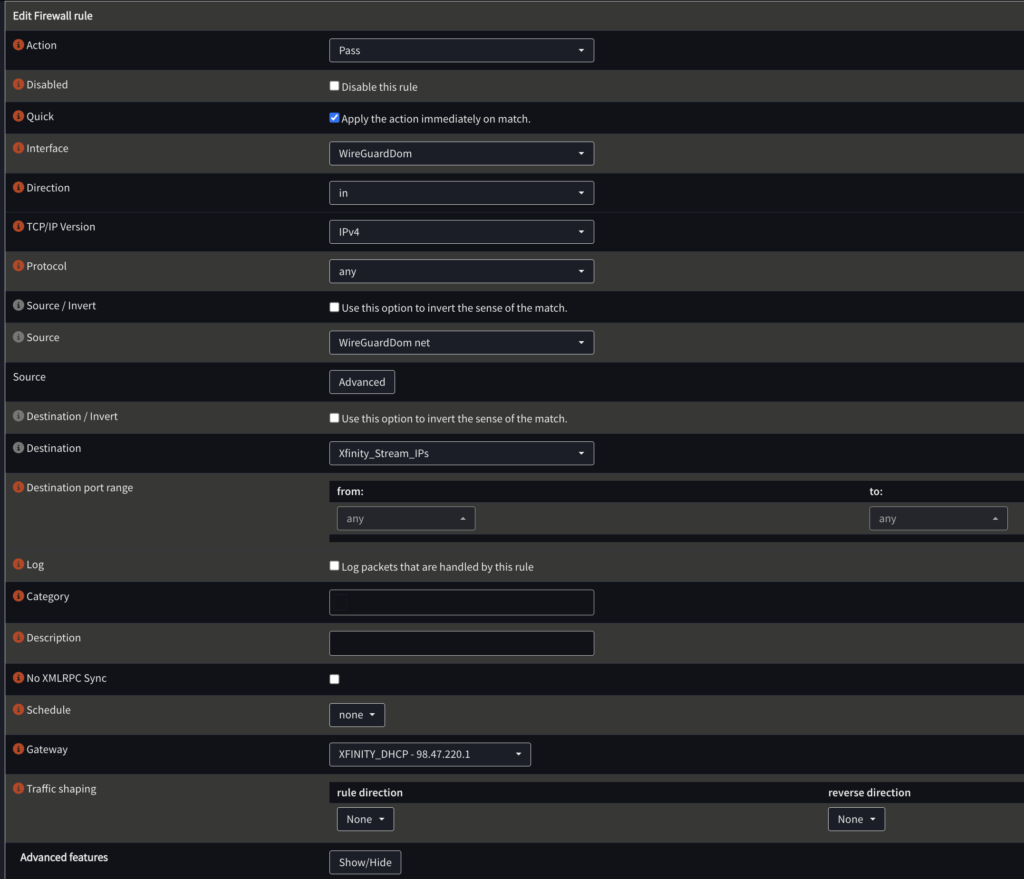
In the end, it looks like this:

Once I set up the UniFi Dream Router as a client, nothing worked. 😀 First step was to route everything over the tunnel with a policy. After that DNS still wasn’t working. Apparently this is a known issue with dnsmasq. I added 1.1.1.1 and 8.8.8.8 in DNS for the DHCP server. This got everything working on all clients. Hurrah!
Next step was to lock this down a bit. I opted to create a policy for just the Apple TV and only to the Xfinity IPs like this:
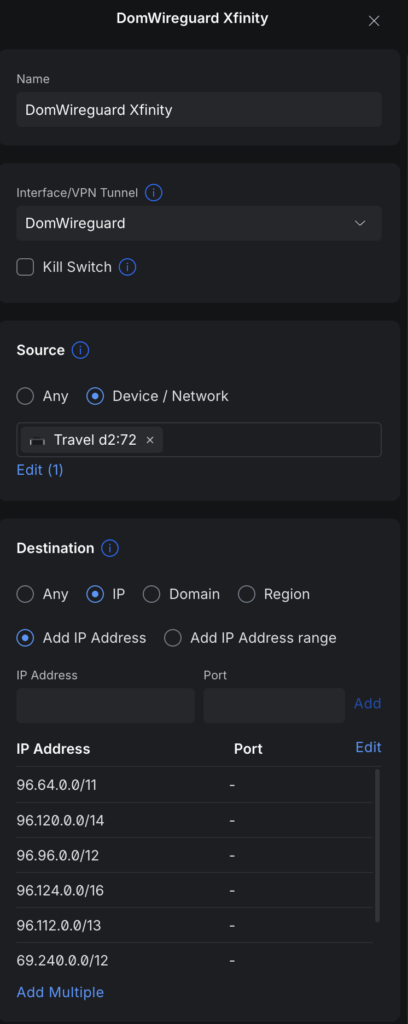
Don’t forget to use that “Add Multiple” button at the bottom! With that you can copy and paste right out of the OPNsense alias into the UniFi policy. Also disable the “Kill Switch” unless you feel you want that.
So far everything is great. Other clients on the network get the same fast access and the Apple TV gets all of its Xfinity traffic sent over the WireGuard tunnel to the Xfinity gateway at home. I’ll likely look at locking the OPNsense down further, but I may just leave that so I can send other clients over the tunnel as needed.